Geofencing: A Quick Guide to What’s New in Location-Based Mobile Wallet Marketing
Read Time:
Oyez! Oyez! Oyez! Draw near and listen.
Geofencing and iBeacons are your modern-day town criers — ready to speak up and turn your Apple and Google Wallet passes into smart, location-triggered tools by sending notifications to your customers’ phones at just the right moment.
Geofencing Definition
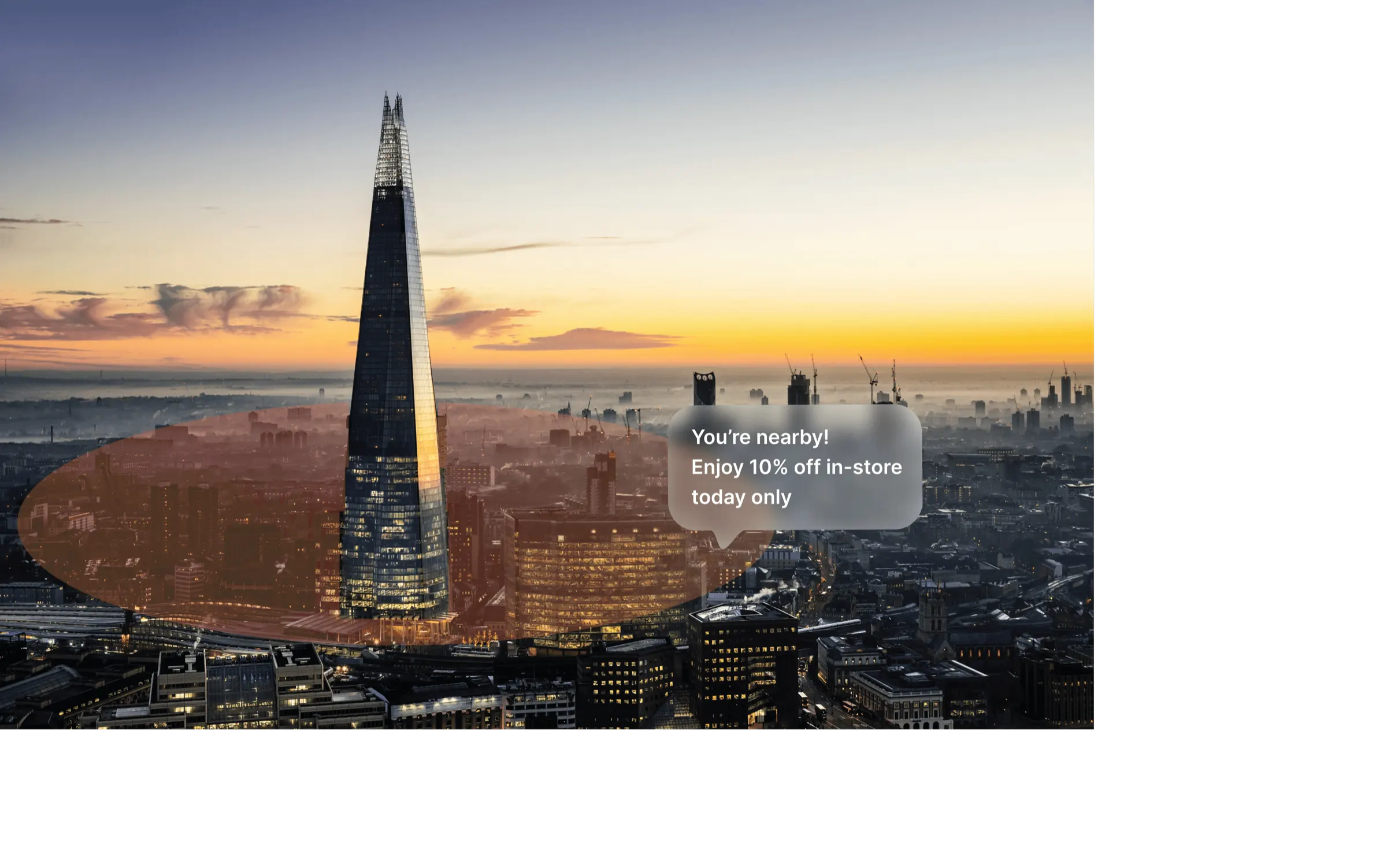
A geofence is an invisible boundary drawn around a real-world location - a street, a shopping mall, an airport, a sports arena or a concert venue. The instant a customer's phone crosses that boundary it triggers an action and a notification – an update or special offer – is sent to their digital wallet.
Rather than casting your message wide and hoping for the best, you're speaking to customers at the precise moment they're in your venue or shop and in the right frame of mind to buy. It's marketing that meets people where they are — literally.
Geofencing - Better than Ever
Geofencing is not new, but recent radical updates mean that it now offers ever greater opportunities for digital wallet engagement. It is the ultimate proximity marketing tool.
PassEntry geofencing can help to ensure your Apple and Google digital wallet passes appear at precisely the right moment – as a customer approaches or enters your store, venue or checkpoint.
It is now easier than ever to set up a geofence, with a cleaner, map-first experience that gets you up and running faster when you want to deliver location-based Apple Wallet and Google Wallet messaging.
Notifications can be tailored to each individual location, allowing you to achieve real-time customer engagement by sending the right message to the right customer, at the right moment.
Better map previews provide a more intuitive way to stay organised and make it simpler to manage multiple locations.
Geofence Notifications – A Detailed Look
When a customer enters a geofenced area, a pass notification appears on their lock screen — complete with a preview and your customised message.
A tap on the notification opens the pass directly in the wallet app — ready for barcode scanning or NFC validation.
Simple and effective.
Notes: Custom geofence messages are exclusive to Apple Wallet. Google Wallet will surface your pass using a standard notification. Notifications remain active and visible until the customer leaves the geofenced area. Geofence notifications are passive; the system does not notify PassEntry when a user enters a geofence.
iBeacons Definition
Where geofencing looks at the bigger picture, iBeacons (supported only in Apple Wallet) focus on the detail — a gentle tap on the shoulder at precisely the right moment to grab your customer’s attention.
iBeacons are tiny physical devices that allow smartphones to listen for signals from beacons and react to them. They can be placed anywhere inside a venue — by an entrance, on a shelf, or near a checkout — and communicate directly with a customer's phone when they get close.
Why Location Based Digital Wallet Marketing is Worth a Second Look
Setting up and managing geofences with PassEntry has never been more intuitive, the results have never been more precise.
Looking for an easy-to-read map? The redesigned map gives you a clear visual preview of every location, with radius visibility that takes the guesswork out of your coverage area.
Want to manage multiple locations on a single screen? Now you can, with drag-to-move editing and focused pin states that make fine-tuning your setup effortless.
Need to add a new location? Just search for an address or drop a pin and you're done.
In summary, location based digital wallet campaigns use compelling offers to drive immediate action, sometimes by targeting competitor locations and particularly when used in high-traffic areas – at conferences, in shopping centres or stadiums - to reach an engaged, specific audience.
Talk to us at PassEntry today about how to use geofencing effectively as part of your digital marketing toolkit.
This is powerful real-time, location-aware engagement. This is geofencing.