Apple Wallet Enhanced Event Tickets: A New Standard for Digital Event Experiences
Read Time:
Wow! Apple’s Poster Event Ticket is Quietly Brilliant
There's a certain kind of design that stops you in your tracks — not because it screams for attention, but because it feels so natural that you barely notice it. The hallmark of truly great design is that it feels effortless — and Apple's Enhanced Poster Event Ticket is a masterclass in exactly that. It carries a quiet confidence that makes the effort behind it completely invisible.
Just like the design features that ensured the iMac, MacBook and iPhone stood out from the crowd, so Apple’s enhanced event ticket has just set the new design standard for the digital wallet pass.
One Ticket, Every Event – Apple Wallet Just Got Smart
Apple’s enhanced event ticket is awash with creativity and interactivity.
Tickets saved in the Apple Wallet now give fans instant access to everything from venue maps and parking information to curated Apple Music playlists, local weather forecasts and built-in location sharing that makes it easy to find and meet up with friends when you’re at the same event.
Venues and teams can personalise the customer experience by adding links from the poster event ticket to their own apps or websites, giving fans a seamless way to discover more about this and future happenings.
The Apple poster event tickets are backward compatible – meaning customers who are not on iOS18, or later, will see the static version that previously existed.Details of multiple upcoming events can now be displayed on a single ticket by allocating an individual event screen to each.
Note - currently, Apple poster event tickets work only with NFC passes.
Nobody Does Tickets Like Apple
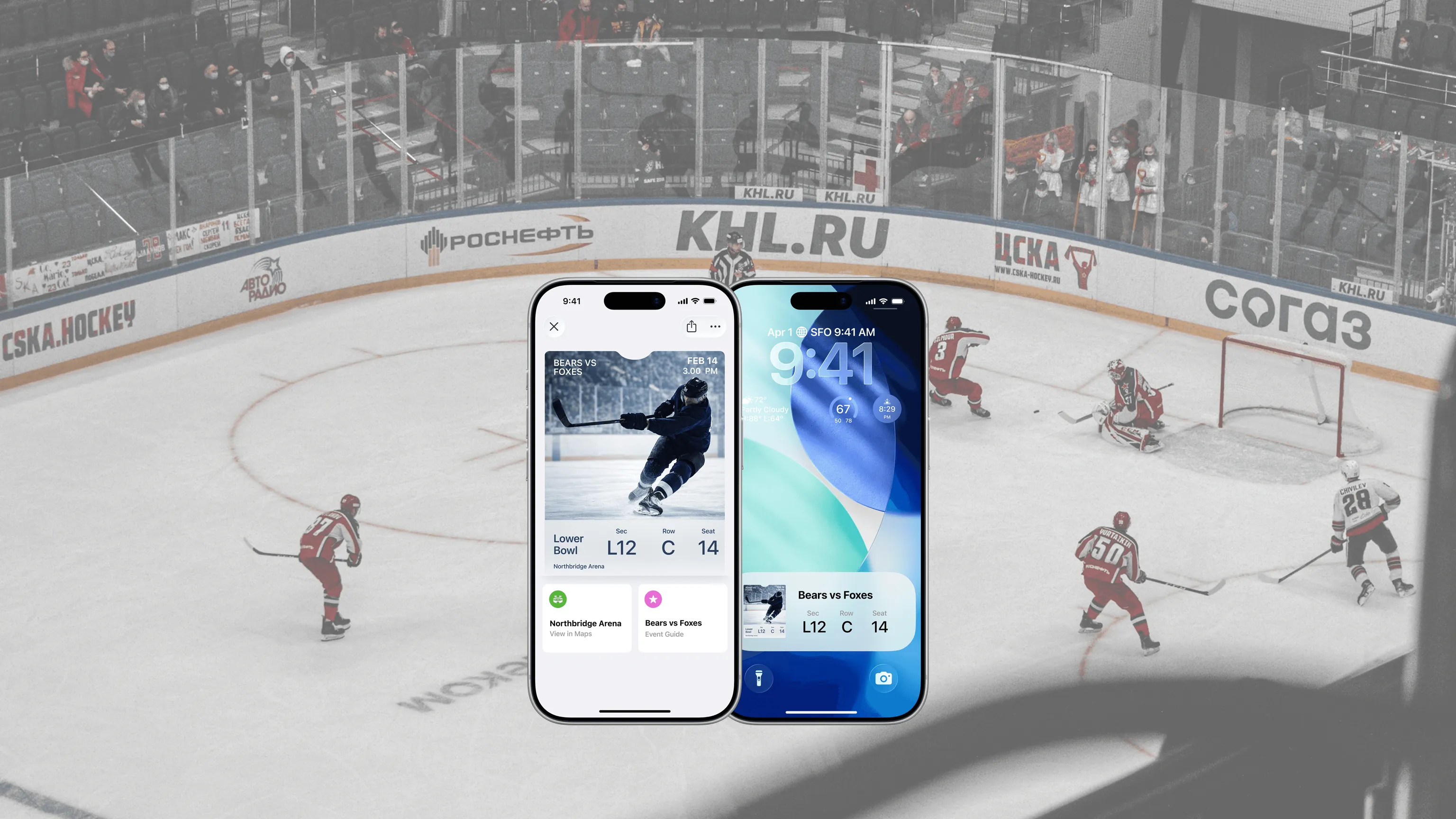
What does an Apple Event Poster Ticket look like?
The front of the pass displays the event date at the top right.
Poster event tickets display the logo prominently.
There is a full-screen background artwork.
In the footer section you can add a secondary logo and the venue name.
You can link to Live Maps plus Weather and Location information.
Apple's new enhanced event ticket layout goes beyond simple admission, giving organisers the tools to create a richer, more engaging experience. With a clear structure, additional content and smart links fans always have the information they need right there - in their digital wallets.
It transforms the static ticket into an opportunity to use the digital wallet as a marketing and communication tool. The Apple enhanced event ticket introduces frictionless interactivity and live updates.
Standard Event Tickets v Apple Poster Event Ticket
Features | Event Ticket | Poster Event Ticket |
Content and Structure | Static | Interactive – links to Seating Details, Venue Features, Future Events |
UX and Design | Venue, Date, Time with QR or Barcode | Primary Logo, Secondary Logo, Full-Screen Background Artwork |
Features | Basic Details only | Interactive – links to Weather, Maps, Apple Music playlists, Friend location |
Technical Details | N/A | Requires NFC enabled passes, backward compatible for those not yet on iOS18, layout activation required |
Extra! Extra! Read all about it
Not sure where your seat is – call up the detailed venue map
Want to meet up with friends before / after the event – use the built-in location sharing feature
Keen to listen to a pre-built playlist – link to your Apple Music account
The event is outdoors, is it going to rain – access live Weather information to find out
Can’t remember where your parked your car – Local destination info can help
Unsure what time the event starts - Dynamic Updates mean that seat changes or event times can be updated remotely
Combined, these features turn an enhanced event ticket into so much more — a digital companion that guides fans through every stage of the event; from the moment they arrive to the experience itself.
Talk to us at PassEntry today about how to take your digital wallet event passes to a different level with the Apple Poster Event Ticket.